







Prompt Writing
Learners also learn how to:
Break complex tasks into steps.
Request outputs as tables, bullet points, checklists, or headings.
Create reusable prompts and prompt libraries.
Improve responses through iterative prompting.
Avoid common prompting mistakes.
Use AI responsibly by protecting confidential information.
Review and verify AI-generated content rather than accepting it blindly.
Key takeaway:
Clear Prompt → Better Understanding → More Useful Output → Review → Refine → Verify.

Instructor
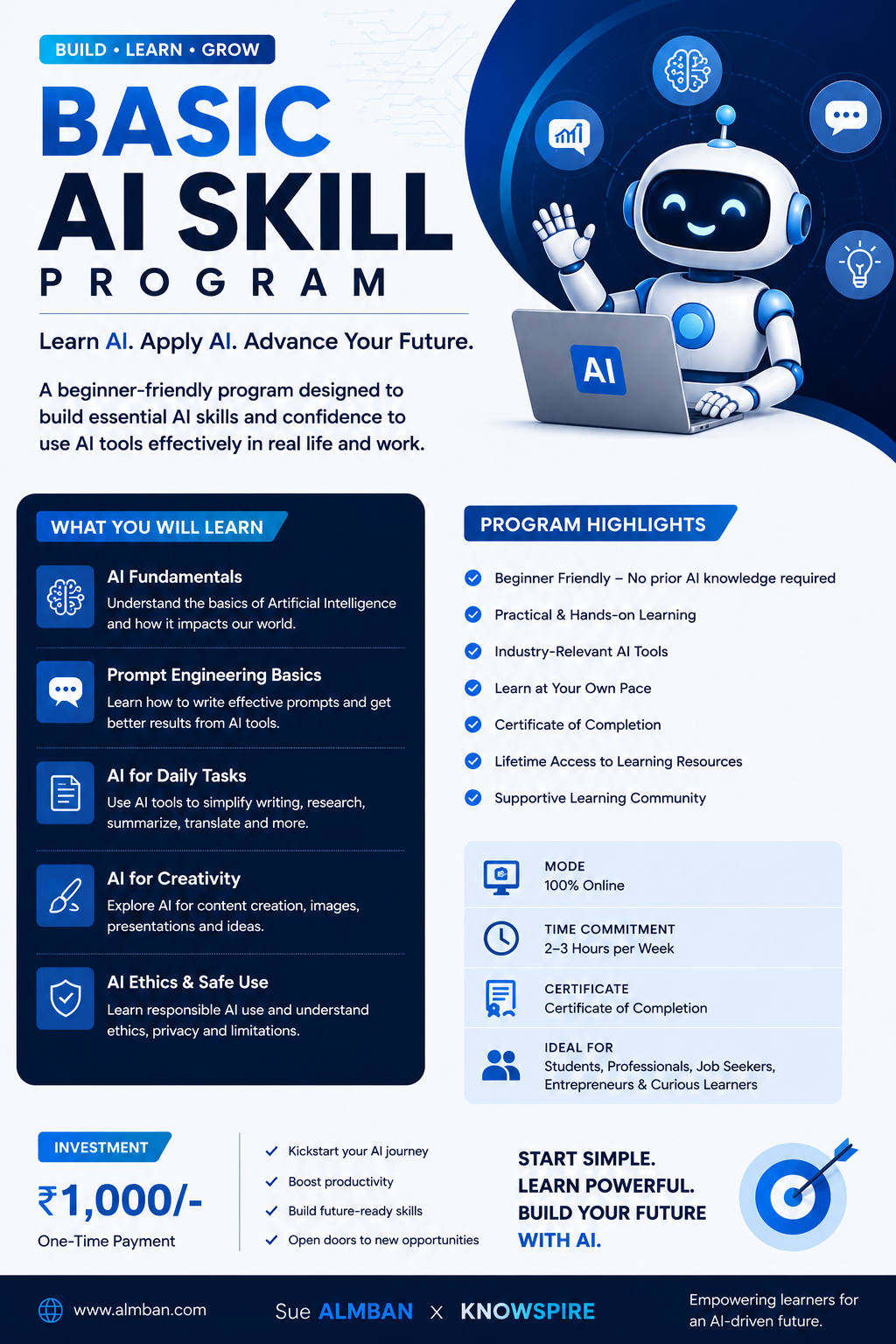
About This Course
BASIC AI SKILLS COURSE
MODULE 2: PROMPT WRITING
Introduction
Prompt Writing is the skill of communicating with an AI system in a way that helps it understand exactly what you want. A prompt can be a question, instruction, task, description, background information, set of requirements, or a combination of these.
For example, the prompt “Write an email” is valid, but it is too vague for most professional tasks. AI does not automatically know who the email is for, why it is being sent, what information should be included, what tone should be used, how long it should be, or what action the recipient should take. Providing relevant and specific instructions generally leads to more useful output.
What Makes a Good Prompt?
A good prompt reduces the amount of guessing AI needs to do. Compare:
Poor Prompt:
“Write an email about the exam seating plan.”
Better Prompt:
“Write a professional email to teachers asking them to check the classroom and duty details.”
Excellent Prompt:
“Write a professional email informing faculty about the examination seating plan. Include the subject line, greeting, classroom details, duty, reporting time, contact information and professional closing.”
The more important requirements you provide, the more closely the output can match your actual requirement.
The RTC Formula
One of the most useful frameworks for prompt writing is RTC — Role, Task and Context.
R — Role
Role tells AI what type of professional or perspective it should use.
Examples:
“You are an experienced school teacher.”
“You are a professional HR assistant.”
“You are a data analyst.”
“You are a customer support executive.”
“You are a professional business writer.”
A role can influence vocabulary, tone, perspective, explanation level and recommendations. It does not mean that AI actually becomes that professional; it simply frames the response from that perspective.
T — Task
Task tells AI exactly what you want it to do.
Weak:
“Help me with an email.”
Better:
“Write a professional email informing faculty about the examination seating plan.”
Strong:
“Draft a concise, professional email informing all faculty that the seating plan is finalised and asking them to verify room allocation and duty.”
Useful task words include write, draft, summarise, analyse, compare, explain, rewrite, improve, translate, organise, extract, classify, create, simplify, and review.
C — Context
Context provides the background information AI needs.
Context can include:
Background information
Audience
Dates and deadlines
Locations
Purpose
Existing information
Policies
Constraints
Special instructions
Previous communication
For example:
“The examination seating plan is finalised. Faculty members should check their room allocation, invigilation duty and reporting time and contact the Examination Cell if they find any discrepancies.”
Complete RTC Prompt
“You are an Academic Operations Officer at a university. Write a professional email informing faculty about the examination seating plan. The plan has been finalised. Inform faculty to check room allocation, duty and reporting time, and contact the Examination Cell for discrepancies. Use a formal and concise tone.”
The simple formula is:
Role = Who?
Task = What?
Context = What background?
Step-by-Step Prompting
For simple tasks, a short instruction may be enough. Complex tasks often contain several requirements and can be handled more effectively by breaking them into steps.
For example, an examination-duty email may require:
Greeting
Exam date
Exam time
Venue
Faculty duty
Reporting time
Responsibilities
Required documents
Contact details
Closing
Instead of simply saying:
“Write an exam duty email.”
You can say:
“Draft a formal exam invigilation duty email step by step. Include the greeting, exam schedule, date, time, venue, duty details, reporting time, responsibilities, required documents, contact information and professional closing.”
Step-by-step prompting can reduce missed requirements, organise complex information, improve completeness and make reviewing easier.
Controlling the Format of AI Output
Prompt writing is not only about controlling what AI says; it can also control how AI presents the information.
You can ask AI for:
Tables
Bullet points
Checklists
Headings
Tables
Useful for schedules, deadlines, comparisons, department-wise information and task tracking.
Example:
“Create a table with the columns Department, Document and Deadline.”
Bullet Points
Useful for summaries, instructions, action items and meeting outcomes.
Example:
“List the key points as short bullet points.”
Checklists
Useful when users need to track completion.
Example:
“Convert this information into a checklist.”
A checklist might include:
☐ Verify date
☐ Verify time
☐ Verify venue
☐ Check names
☐ Check contact details
☐ Proofread
☐ Confirm attachments
Headings
Headings are particularly useful for longer content because they improve readability, navigation and organisation.
Example structure:
Purpose
Important Dates
Responsibilities
Instructions
Contact Information
You can also combine formats in one prompt:
“First create a table with Department, Document and Deadline. Then provide a short bullet-point summary of key deadlines. Finally, provide a checklist for tracking completion. Use clear headings and concise, professional language.”
Creating Reusable Prompts
A useful prompt does not always need to be written from scratch. If you create a good prompt for a meeting invitation, save it as a template and reuse it later.
Usually, only changing information needs to be updated:
Date
Time
Recipient
Purpose
Venue
Agenda
For example:
“Act as a professional Office Assistant. Write a [type of email] for [purpose], addressed to [recipient], using a [tone] tone. Write a clear subject line, begin with an appropriate greeting, explain the purpose, include dates, times, locations and instructions where provided, keep the message concise, and end with a professional closing.”
A reusable prompt becomes more effective when fixed information and changing information are separated.
Fixed information may include tone, greeting, email structure, subject-line requirement, closing and formatting.
Changing information may include recipient, date, time, purpose, deadline, location and specific instructions.
Building a Prompt Library
A prompt library is a collection of tested and reusable prompts.
A department could maintain prompts for:
Meeting invitations
Leave approvals
Examination notices
Fee reminders
Applicant-status emails
Internal memos
Student support replies
Policy communication
Follow-up emails
Official announcements
A prompt library can save time, improve consistency, reduce repeated effort, help new employees and standardise communication.
Iterative Prompting
Your first prompt does not have to be perfect. You can improve an AI response through follow-up instructions.
For example:
First:
“Write a professional email about the faculty meeting.”
Then:
“Make it more concise.”
Then:
“Add a clear subject line.”
Then:
“Make the tone more formal.”
Then:
“Add the agenda as bullet points.”
Finally:
“Reduce the email to 120 words.”
This creates a simple cycle:
Generate → Review → Refine → Generate Again
Prompting can therefore be treated as a conversation rather than a single command.
Controlling Tone and Audience
The same information can be communicated in different tones.
Formal:
“You are requested to submit the document by Friday.”
Friendly:
“Please remember to submit the document by Friday.”
Firm:
“Please ensure the document is submitted by Friday without fail.”
Polite:
“Kindly submit the document by Friday.”
Common tone instructions include formal, professional, polite, friendly, concise, neutral, persuasive, respectful, academic and official.
Audience is equally important.
For students, use simple and friendly language.
For faculty, use professional and respectful language.
For senior management, use concise, formal and executive language.
For the public, avoid unnecessary jargon and explain terms clearly.
Always ask:
“Who will read this output?”
Controlling Length
You can specify how long the AI response should be.
Examples:
“Explain in 5 bullet points.”
“Write a 100-word email.”
“Give me a one-paragraph summary.”
“Create a detailed explanation of approximately 500 words.”
“Provide a short answer suitable for a WhatsApp message.”
Length instructions help make output more focused, appropriate and suitable for its intended channel.
Specify What to Include and Exclude
A strong prompt should clearly state important information that must be included and unnecessary elements that should be avoided.
Include:
Date
Venue
Deadline
Contact details
Exclude:
Complicated vocabulary
Unnecessary introductions
Repeated information
Emojis
This gives you greater control over the final output.
Prompting for Different Tasks
The same principles can be applied to many different tasks.
Summarising
“Summarise this document in 7 bullet points. Highlight the main decisions, deadlines and responsibilities.”
Rewriting
“Rewrite this email in a polite and professional tone without changing the meaning.”
Translation
“Translate this notice into Hindi using clear, formal language.”
Excel
“Explain the Excel formula that averages cells B2:B30 in simple language.”
Presentations
“Create a 10-slide structure on workplace AI with a title, objectives, concepts, examples and summary.”
Common Prompting Mistakes
1. Being Too Vague
❌ “Write something about AI.”
✅ “Explain Generative AI to staff simply with 3 workplace examples.”
2. Giving No Context
❌ “Write a reminder.”
✅ “Write a polite reminder to submit assessment marks by Friday.”
3. Not Specifying the Audience
❌ “Explain this topic.”
✅ “Explain this topic to beginners with no technical background.”
4. Not Specifying the Format
❌ “Give information about the policy.”
✅ “Summarise the policy under 5 headings with a deadline table.”
5. Giving Too Many Unrelated Instructions
When a task contains unrelated requirements, separate them into numbered or grouped instructions.
The Complete Prompt Framework
For greater control, a prompt can include:
Role + Task + Context + Audience + Tone + Requirements + Restrictions + Format + Length
Example
Role: Academic Office Assistant
Task: Draft a reminder email
Context: Marks are due Friday at 5 PM
Audience: University faculty
Tone: Formal and polite
Requirements: Deadline, process and contact details
Format: Subject + email body
Length: Under 150 words
This is much more controlled than simply asking:
“Write an email about marks.”
Responsible Prompting
Good prompting is also about responsible AI use.
Avoid unnecessarily sharing confidential information such as:
Passwords and login credentials
Private student records
Sensitive employee information
Confidential institutional information
Instead of providing a student's complete personal and academic record, a safer approach is to use a neutral identifier such as:
“Summarise the following academic performance using Student A as the identifier.”
Responsible AI use requires attention to privacy, verification and human review.
Prompt Quality Does Not Guarantee Accuracy
A better prompt can improve relevance, but it does not guarantee factual accuracy.
Prompt Quality ≠ Factual Accuracy
Even when a prompt is well written, users should:
Verify facts
Check important details
Review names and dates
Confirm calculations
Proofread the response
Apply professional judgment
AI output should therefore be treated as something to review and verify, not automatically accept.
Practical Workplace Examples
Meeting Invitation
“Draft a formal meeting invitation for faculty. Meeting Friday at 3 PM in the Academic Office. Agenda: examination scheduling. Include a subject line and concise closing.”
Official Notice
“Write a formal university notice announcing revised office hours from next Monday. Keep it concise for faculty and staff.”
Reminder Email
“Write a polite reminder to staff to submit the pending document within 3 days. Mention the deadline and why timely submission matters.”
Practical Activity: Improve a Poor Prompt
Start with:
“Write an email.”
Improve it using RTC:
Role: Professional Office Assistant
Task: Draft a reminder email
Context: Submit the pending document by Friday.
Then generate the response and review it.
Ask yourself:
Is the tone appropriate?
Is the purpose clear?
Is anything missing?
Is the date correct?
Is the response too long?
This practical activity helps learners understand that prompt writing improves through practice, iteration and review.
Prompting Across Departments
Prompt writing can support different workplace functions.
Examination Office: Exam schedules, invigilation notices, seating-plan communication.
Admissions: Applicant-status emails, document reminders, admission guidance.
HR: Leave communications, policy announcements, employee reminders.
Academic Office: Circulars, meeting communications, minutes and academic notices.
Department Office: Internal memos, reminders and meeting invitations.
Student Support: FAQ responses, guidance emails and common student queries.
Golden Rules of Prompt Writing
Be clear about what you want.
Use Role, Task and Context.
Give relevant background information.
Specify the audience.
Specify the tone.
Tell AI the format you want.
Break complex tasks into steps.
Specify important requirements explicitly.
Save successful prompts for reuse.
Review and refine instead of blindly accepting the first response.
Final Takeaway
ROLE → TASK → CONTEXT + Audience + Tone + Requirements + Format + Length + Restrictions
The complete workflow is:
Define the task → Write the prompt → Generate → Review → Refine → Verify → Use
Effective prompt writing is not about making prompts unnecessarily long. It is about giving AI the right information, clear instructions and useful constraints while applying human judgment to the final result.
Manish Sharma

Curriculum Overview
This course includes 0 modules, 1 lessons, and 0 hours of materials.
Quiz Certificate
Course Certificate
This Course Includes
Course Specifications



Subscribe to Our Newsletter


Additional Links
Login Register Contact Certificate Validation Become Instructor About Terms and PoliciesContact US


Reply to Comment