







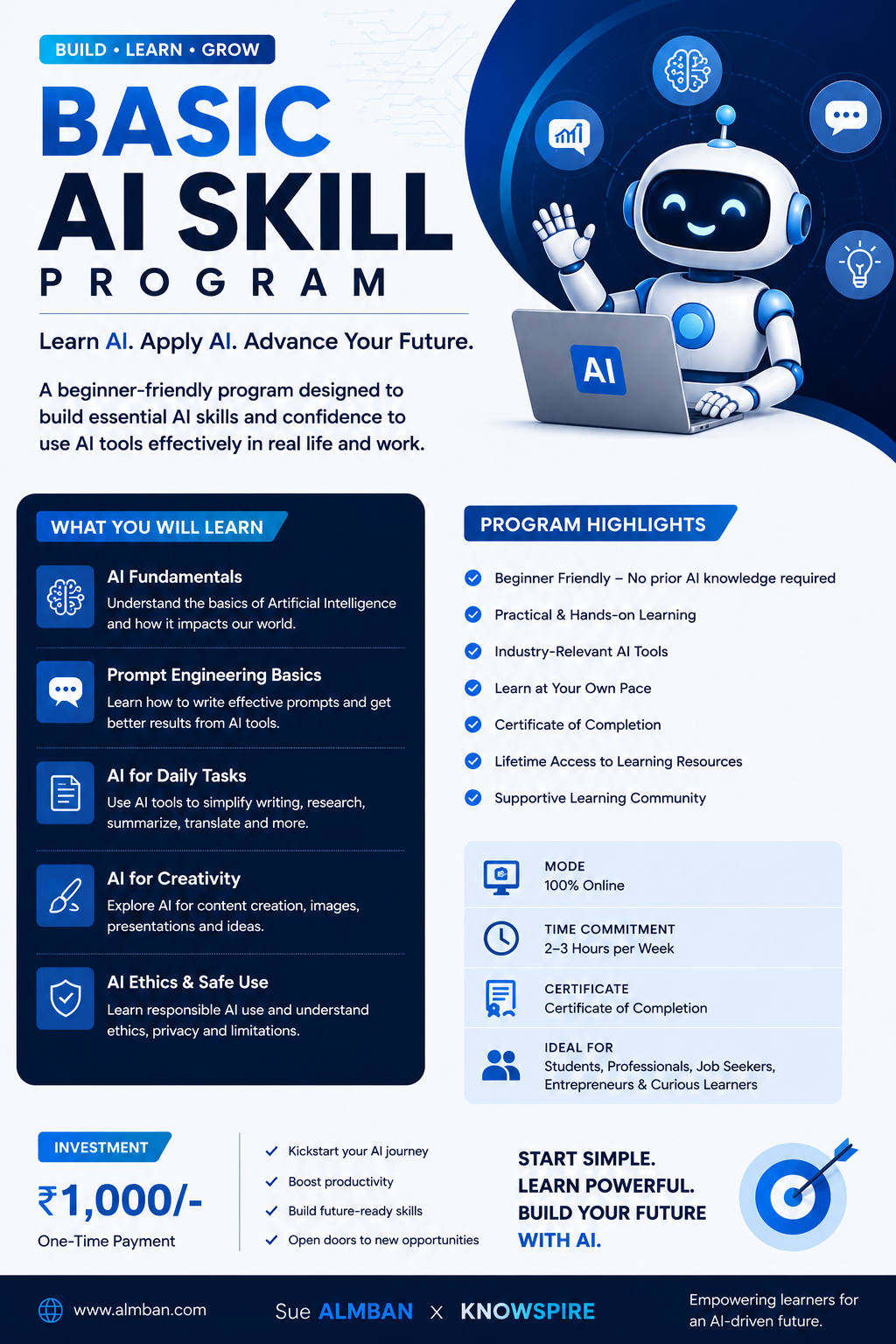
AI Basic
The module focuses on practical applications including email writing, document summarisation, report creation, presentations, translation, grammar improvement, notices, and Excel assistance. It also explains how clear instructions improve AI outputs and introduces the foundation of effective prompting.
A major focus is placed on AI limitations and responsible use, particularly AI hallucinations, fact verification, privacy, confidentiality, and human oversight. Learners are encouraged to follow the principle:
AI is the assistant; humans are the decision-makers.
By the end of the module, learners will be able to identify suitable AI applications, use AI more effectively for routine workplace tasks, recognise potential inaccuracies, and apply AI in a safe, responsible, and practical manner.

Instructor
About This Course
Module 1: AI Basics
Course Introduction
Artificial Intelligence (AI) is becoming an important part of modern workplaces and everyday digital tools. From chatbots and search engines to email assistants and document summarisation, AI is already helping people perform tasks more efficiently.
This module provides a practical introduction to Artificial Intelligence, Generative AI, Large Language Models (LLMs), AI tools, practical workplace applications, AI limitations, and responsible AI use.
By the end of this module, learners will understand what AI is, how modern AI assistants work at a basic level, where AI can be used, and why human judgment and verification remain essential.
1. Foundations of Artificial Intelligence
What is Artificial Intelligence?
Artificial Intelligence (AI) is technology that enables computers and software systems to perform tasks that normally require human intelligence.
In simple words:
AI enables machines to perform tasks that appear intelligent or human-like.
AI is not limited to robots. It is already integrated into many everyday digital tools such as chatbots, search engines, email assistants, and other software applications.
What Can AI Do?
AI can assist with tasks such as:
Understanding language
Recognising patterns
Answering questions
Making predictions
Solving problems
Generating content
Analysing information
Translating languages
Supporting decisions
Simple Example
Suppose an employee asks an AI system:
"Write an email requesting leave for two days."
The system interprets the instruction, processes the request, and generates a suitable email draft.
AI in Everyday Tools
You may already encounter AI in:
Email spam filters
Smart-reply suggestions
Search engine suggestions
Grammar and writing assistants
Voice assistants
Automatically generated meeting summaries
Website chatbots
2. Why AI Matters at Work
AI is increasingly becoming an important workplace skill. It can reduce the amount of time spent on routine work and allow people to focus on more valuable activities.
Benefits of AI in the Workplace
1. Reduces Routine Work
AI can help reduce repetitive and low-value tasks.
2. Improves Communication
AI can assist with clearer and more thoughtful communication.
3. Supports Problem-Solving
By reducing routine workload, AI can give employees more time to focus on meaningful problems and collaboration.
AI Saves Time
Many office tasks can be repetitive and time-consuming. AI can help create a first draft within seconds.
Examples include:
Writing routine emails
Creating notices
Summarising documents
Preparing reports
Preparing meeting minutes
Improving grammar
Creating Excel formulas
Workplace Example
Instead of spending considerable time writing a reminder to faculty members about submitting marks, an employee can provide the important details to AI and receive a professional first draft.
The employee should then review, edit, and approve the final message.
Important: AI does not eliminate human work. It assists with repetitive tasks so humans can spend more time on important work.
3. AI as a Workplace Skill
AI literacy is becoming an important professional skill.
Employees who understand AI can:
Work faster
Communicate more effectively
Automate repetitive tasks
Analyse information efficiently
Create professional documents
Improve productivity
AI Literacy Means Knowing:
A person with basic AI literacy should understand:
What AI is
What AI can do
How to give instructions to AI
How to check AI-generated information
How to use AI responsibly
When human judgment is necessary
4. Generative AI
What is Generative AI?
Generative AI is a type of artificial intelligence that can create new content rather than simply analysing existing information.
Generative AI can create:
Emails
Reports
Images
Ideas
Summaries
Presentations
Computer code
Other types of content
Traditional AI vs Generative AI
| Traditional AI | Generative AI |
|---|---|
| Analyses existing information | Creates new content |
| Classifies information | Generates responses |
| Example: Detecting spam | Example: Writing an email reply |
For example, traditional AI might identify whether an email is spam, while Generative AI might create a professional response to that email.
5. Understanding Large Language Models (LLMs)
Many modern AI assistants are based on Large Language Models (LLMs).
An LLM is an AI system designed to work with human language.
An LLM can:
Read text
Understand instructions
Generate text
Summarise information
Rewrite content
Translate languages
Answer questions
Draft documents
Easy Analogy
Think of an LLM as a highly-read office assistant that has been exposed to a huge amount of written material.
It can predict what words or responses are likely to come next.
However, an LLM should not be treated exactly like a database containing verified facts.
An AI response can:
Sound professional
Look logical
Be grammatically correct
…and still contain incorrect information.
Key Principle
A confident AI answer is not necessarily a correct answer.
6. AI Hallucinations
One of the important limitations of Generative AI is AI hallucination.
An AI hallucination occurs when AI generates information that is:
Incorrect
Unsupported
Invented
while presenting it as though it were true.
Example
You ask:
"Give me the official date of a university examination."
AI may provide a specific date that appears realistic but is actually incorrect.
Therefore, AI-generated information should follow this process:
Generated → Reviewed → Verified → Edited → Used
It should not follow:
Generated → Copy → Send
Golden Rule
Always verify AI-generated facts, names, dates, and figures before using them, especially for official work.
7. Major AI Tools
There is no single AI tool that is best for every task. Different tools have different strengths.
ChatGPT
Strength: All-round writing and reasoning support.
Useful for:
Emails
Reports
Brainstorming
Summaries
Rewriting
Question answering
Gemini
Strength: Integration with Google's ecosystem.
Useful for:
Gmail-related drafting
Google Docs
Google Sheets
Information-related tasks
Claude
Strength: Careful and structured long-form writing.
Useful for:
Policies
Detailed documents
Long reports
Structured content
DeepSeek
Strength: Fast, low-cost responses.
Useful for:
Quick drafts
Fast summaries
High-volume tasks
Budget-friendly use
Grok
Strength: Fast formatting and production-oriented tasks.
Useful for:
Spreadsheets
Longer reports
Quick formatting
Production tasks
8. Choosing the Right AI Tool
The important lesson is:
Choose the AI tool according to the task, not out of habit.
| Task | Suitable Tool |
|---|---|
| Email drafting | ChatGPT / Gemini |
| Long structured document | Claude |
| Google Workspace-related work | Gemini |
| Quick drafting | Several models may be suitable |
The goal is not to depend on one AI tool. The goal is to understand which tool is appropriate for a particular task.
9. Practical Applications of AI
AI can support many common workplace activities.
9.1 Writing Emails
AI can help create:
Formal emails
Reminder emails
Invitations
Leave-request emails
Follow-up emails
Announcements
Example:
"Write a polite reminder to faculty members to submit internal assessment marks by Friday."
AI can create the initial draft.
9.2 Summarising Documents
AI can convert long documents into:
Key points
Short summaries
Bullet points
Action items
For example, a 10-page policy document can be transformed into key points, deadlines, and responsibilities.
9.3 Generating Reports
AI can help create the initial structure for:
Monthly reports
Meeting reports
Activity reports
Department reports
It can organise information into clear headings and sections.
9.4 Creating Presentations
AI can assist with:
Slide structures
Slide headings
Bullet points
Speaker notes
Example ideas
Human review is still necessary.
9.5 Translation
AI can translate content between languages, such as English ↔ Hindi.
Official translations should still be reviewed.
9.6 Grammar Improvement
AI can improve:
Grammar
Spelling
Sentence structure
Formality
Clarity
9.7 Excel Assistance
AI can assist with:
Excel formulas
Data interpretation
Data-cleaning suggestions
Sorting ideas
Chart recommendations
9.8 Notices and Letters
AI can help draft:
Official notices
Circulars
Letters
Internal memos
Announcements
These should always be human-checked before use.
10. The Basic AI Working Process
A beginner can understand AI through a simple three-stage process:
Stage 1: Input / Prompt
You provide instructions to the AI.
Example:
"Write a professional email to teachers about tomorrow's staff meeting."
↓
Stage 2: AI Processing
The AI interprets the instruction and generates a response based on patterns learned during training and the conversation.
↓
Stage 3: Output
The AI produces the requested:
Email
Answer
Summary
Report
Formula
Ideas
Other content
Basic Model
Your Instruction → AI Processing → AI Response
The quality of the final result depends heavily on how clearly you communicate your requirement.
11. AI Cannot Read Your Mind
An important beginner concept is that AI does not automatically know what you want.
Poor Instruction
"Write an email."
AI does not know:
What type of email?
Who is the recipient?
What is the purpose?
Should it be formal or informal?
What information should be included?
How long should it be?
Better Approach
Tell AI:
Role – Who should AI act as?
Task – What should it do?
Background – What information does it need?
Tone – How should it sound?
Format – How should the answer be presented?
Details – What specific information must be included?
This concept leads directly to the next module: Prompt Writing.
12. AI as an Assistant, Not a Decision-Maker
One of the most important principles of using AI is:
AI = Assistant
Human = Decision-Maker
AI can:
Suggest
Draft
Organise
Summarise
Analyse
Improve
Humans should decide:
What is correct
What should be sent
What action should be taken
Whether information is appropriate
Whether a decision is acceptable
Example
AI may draft an examination notice.
Before sending it, the employee must verify:
Date
Time
Venue
Department
Faculty names
Contact information
13. Responsible AI Use
AI should always be used responsibly.
The three important principles are:
Privacy + Accuracy + Professional Responsibility
Convenience should never be more important than these principles.
Always Do
✔ Verify facts
✔ Protect confidential organisational information
✔ Protect personal data
✔ Proofread AI-generated content
✔ Maintain human control
✔ Use AI as an assistant rather than replacing human judgment
Never Do
✘ Share confidential information
✘ Upload student or personal records
✘ Upload passwords or login credentials
✘ Blindly trust AI answers
✘ Copy AI output without proofreading
14. Practical Workplace Example
Scenario
An employee needs to send an examination reminder.
Without AI
Think about the wording
Draft the email
Check grammar
Format the message
Review it
Send it
With AI Assistance
Provide the situation to AI
AI creates a draft
Employee reviews the draft
Employee verifies dates and details
Employee edits the final version
Employee sends the email
Key Lesson
AI can reduce the drafting effort, but the employee remains responsible for the final communication.
Module 1 Key Takeaways
By completing this module, learners should remember:
AI is an assistant; you are the decision-maker.
AI enables machines to perform tasks that appear intelligent.
AI is already part of many everyday digital tools.
AI can save time on repetitive work.
Generative AI creates new content.
AI-generated information can sometimes be incorrect.
There is no single AI tool that is best for every task.
Clear instructions generally produce better AI output.
AI-generated information should always be reviewed and verified.
Confidential and personal information must be protected.
Human judgment remains essential when using AI.
Manish Sharma

Curriculum Overview
This course includes 0 modules, 0 lessons, and 0 hours of materials.
Course Specifications



Subscribe to Our Newsletter


Additional Links
Login Register Contact Certificate Validation Become Instructor About Terms and PoliciesContact US


Reply to Comment